
Reducing "Double-login" Friction to Auto Import Bank and Tax documents
I delivered a scalable solution to reduce friction at a critical 'double-login' experience, projected to significantly boost automated document imports for QuickBooks and TurboTax Full Service customers, and successfully shift the user's mental model from "Why am I logging in again?" to "I am granting access to my secure documents.
My Team
Product Manager, Content Designer, Product Designer(me!)
Stakeholders
QuickBooks Product Team, TurboTax Product team, Engineering
Project Timeline & Status
6 weeks from discovery to design delivery in April 2025
Tools
Figma, Amplitude, UserTesting, HeyMarvin
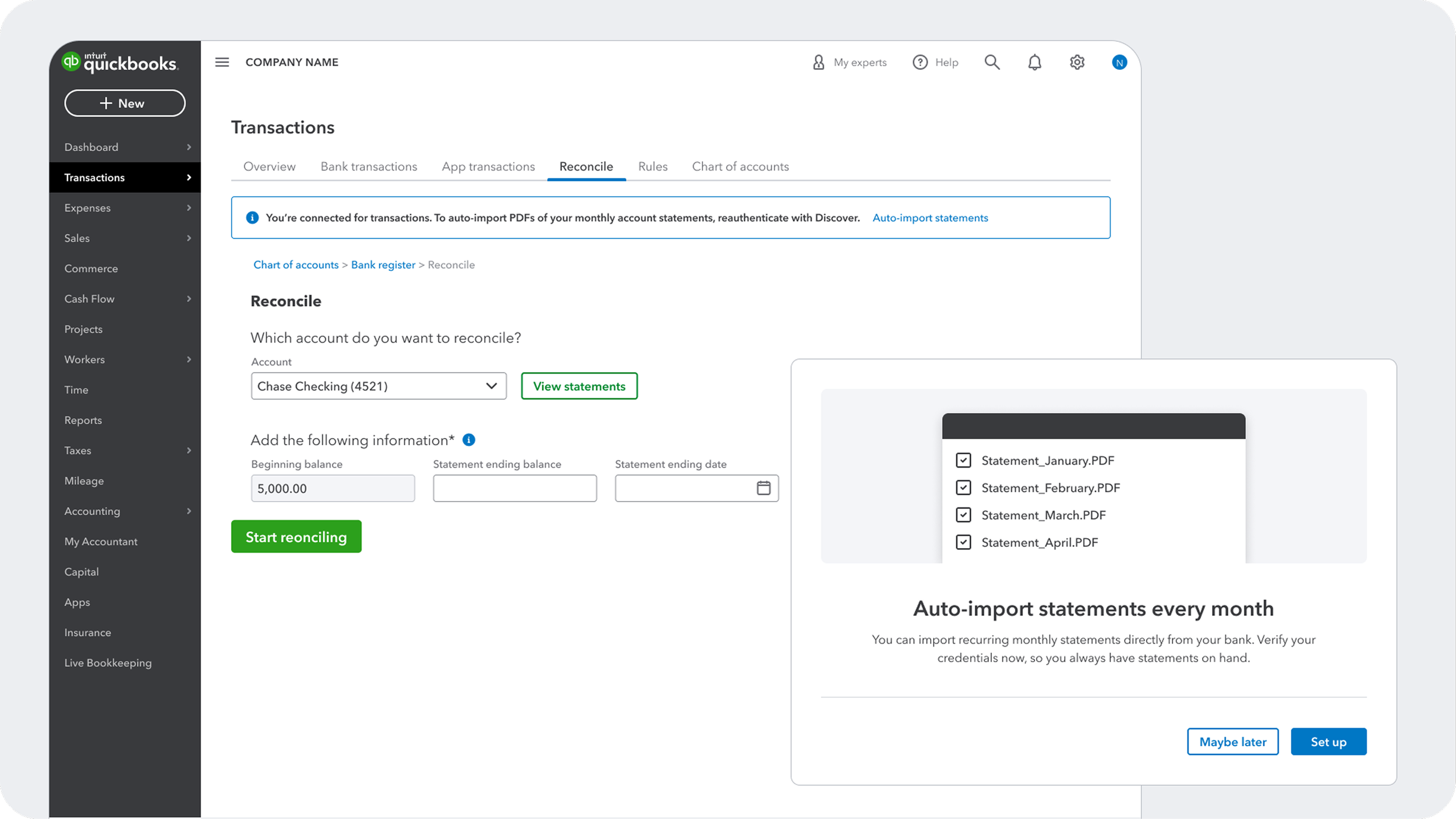
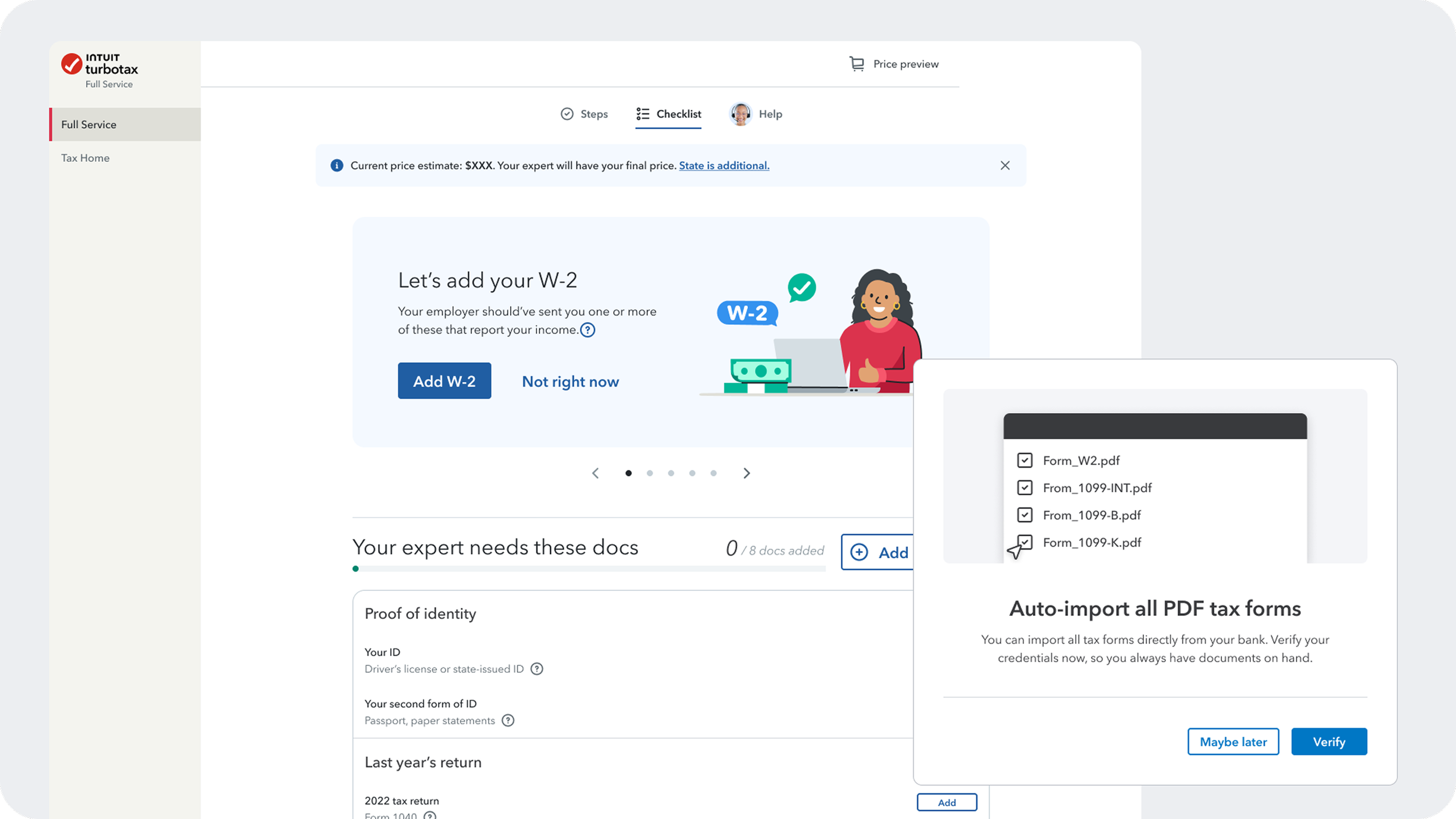
Background
Due to strict financial regulations, banks use separate secure channels (OAuth, MFA) to transmit different types of data. While a user may authenticate once to sync digital transactions or account data, a second, explicit authorization is required to access official PDF documents like monthly statements forms.
Currently, this creates a "Double-login" friction point. Most users are either unaware that automated document importing is an option or become frustrated when asked to log in twice in a row. This results in users abandoning the secure flow and reverting to the tedious, manual process of downloading and uploading files.
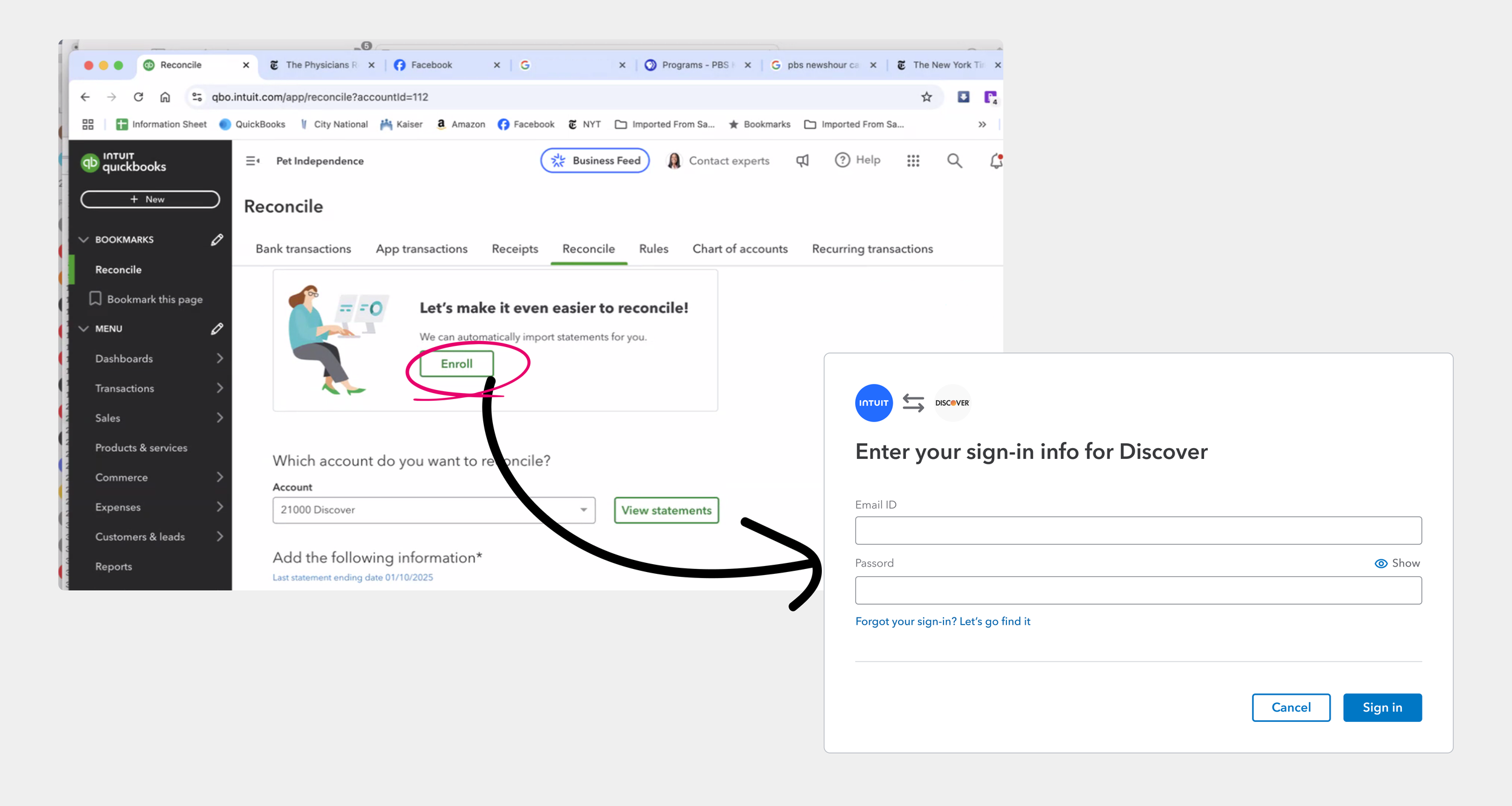
The problem Quickbooks team brought to us:
Customers are promised “automatically imported statements” with a simple “Enroll” button, yet 75% of the customers drop off the funnel immediately — after being prompted to “sign in” instead.
The Challenge
Despite some customers asking for this “missing” capability ability to automate data imports, the technical and legal constraints means a “brute force” approach of the "Double-login" experience is not ready to be rolled out for customers without clear value proposition and clarity to address the second authentication. Today, customers are only able to manually document management, without getting a good "done-for-you" experience.
My Role
I led the end-to-end design strategy -
Identified customer experience gaps in QuickBooks and TurboTax product teams, and defined customer problem statements in the product requirement document.
Delivered design audits, high-fidelity usability testing prototypes and research-backed design decks for my PM partner to get senior leadership buy-in, successfully getting sign-off for development resources.
My Strategic Contribution
Originally, the project was sparked by a specific customer problem in QuickBooks. However, the initial scope was narrow; the team (PM, Content, and Design) was uncertain how our platform capabilities could scale to other Intuit products.
To move beyond a limited MVP, I took proactive design leadership in defining the final PRD through:
Expert Roundtables: I co-facilitated roundtables of Turbotax experts to uncover the opportunity cost of waiting for customers to upload tax documents.
Cross-BU Bridge Building: I pro-actively connected with Designers and PMs at TurboTax to understand their E2E experience to ensure our platform solution would fit seamlessly into TurboTax design language and expert-led workflow.
All these efforts ensured the solution was architected for scalability from day one.
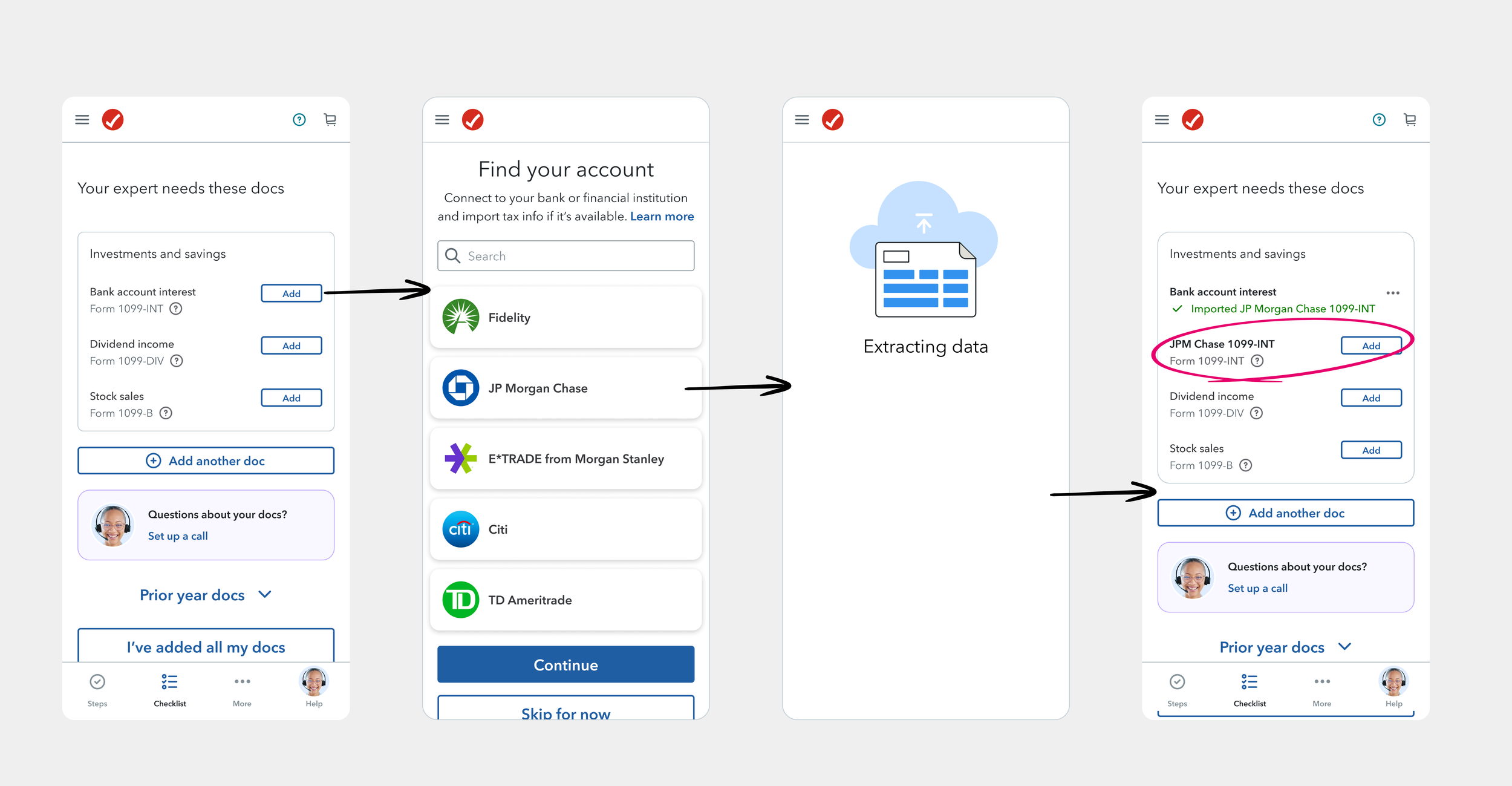
What we found:
Opportunity to reduce expert hand off time in TurboTax Full Service — the customer is guided to import their bank interest forms. The data from the bank forms are extracted, but the expert now need to prompt and wait for customers to sign in to the bank again, or manually upload a physical copy of the tax forms to before signing off on the tax return.
Problem Statements

QuickBooks Customer Statement
I am an Intuit QuickBooks customer.
I want to reconcile my monthly statements to ensure my books are accurate.
However, I have to manually download PDFs from my bank and upload them to QuickBooks every month.
Which makes me feel frustrated that the platform isn’t automating a repetitive task as promised.

TurboTax (Full Service) Customer Statement
I am an Intuit TurboTax customer.
I want to import my financial data quickly so I can finish my tax return.
However, I am asked to log in to my bank a second time just to share my tax forms, which feels redundant and suspicious.
Which makes me feel confused and hesitant to continue, leading me to abandon the digital sync and hunt for paper documents instead.”

TurboTax (Full Service) Expert Statement
I am a TurboTax Full Service Expert.
I want to verify my client’s tax documents efficiently to ensure a fast and accurate filing.
However, most clients don't realize they can automate this early, so I have to prompt and wait til customers to return and manually upload low-quality photos or incomplete PDFs.
Which makes me feel burdened by back-and-forth communication that slow down my ability to finish each filing.”
My Design Process
I followed a research-heavy, iterative approach to deconstruct the "why" behind user abandonment:
Through design audits, I evaluated existing connection flows and researched how competitors (e.g., Mint, Personal Capital) navigated multi-channel authentication.
I Interviewed 12 users to generate journey maps in QuickBooks and TurboTax
I ran 3 rounds of usability testing in collaboration with my Content Design partner to transform an awkward technical explanation into a value education at the original friction point.
Solving for the right problem
Upon seeing this sign-in screen, I hypothesized that,
Customer do not want to manually enter sign-in info;
Customer do not understand why Intuit needs them to sign-in right now.
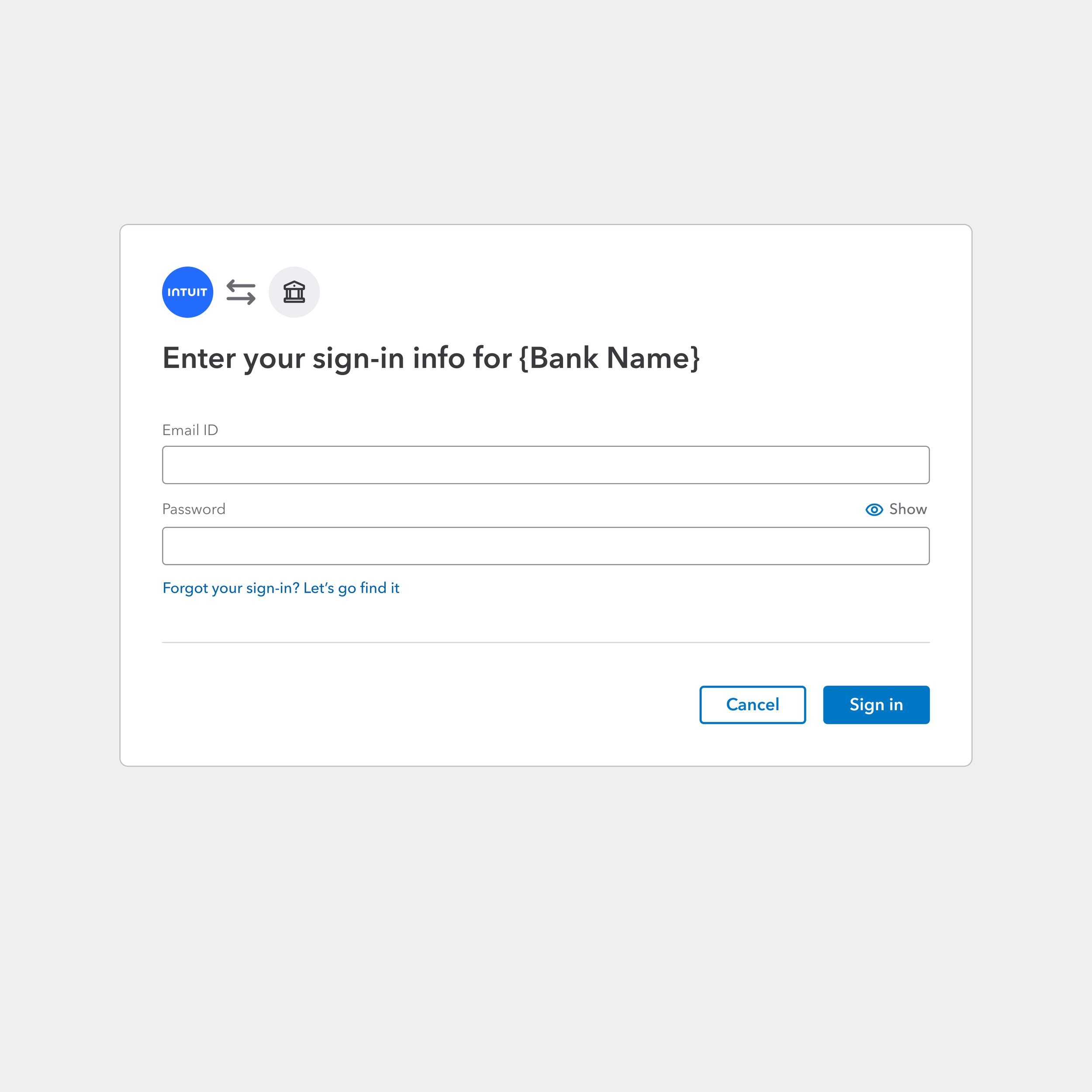
What I found after user walkthroughs are more nuanced:
Low commitment - Many users only enter the funnel because they are curious.
Slow speed to value - The majority of the users actually considered seeing “sign-in” for a 2nd time as a security necessity — however, users do not understand how automatic document import improve their current workflow, contributing to the actual drop off.
The problems are clearer now:
How might we convince customers to manually enter their sign-in info right now?
How might we make customers understand the value of automatic document import over manual upload?
Design & Content collaboration
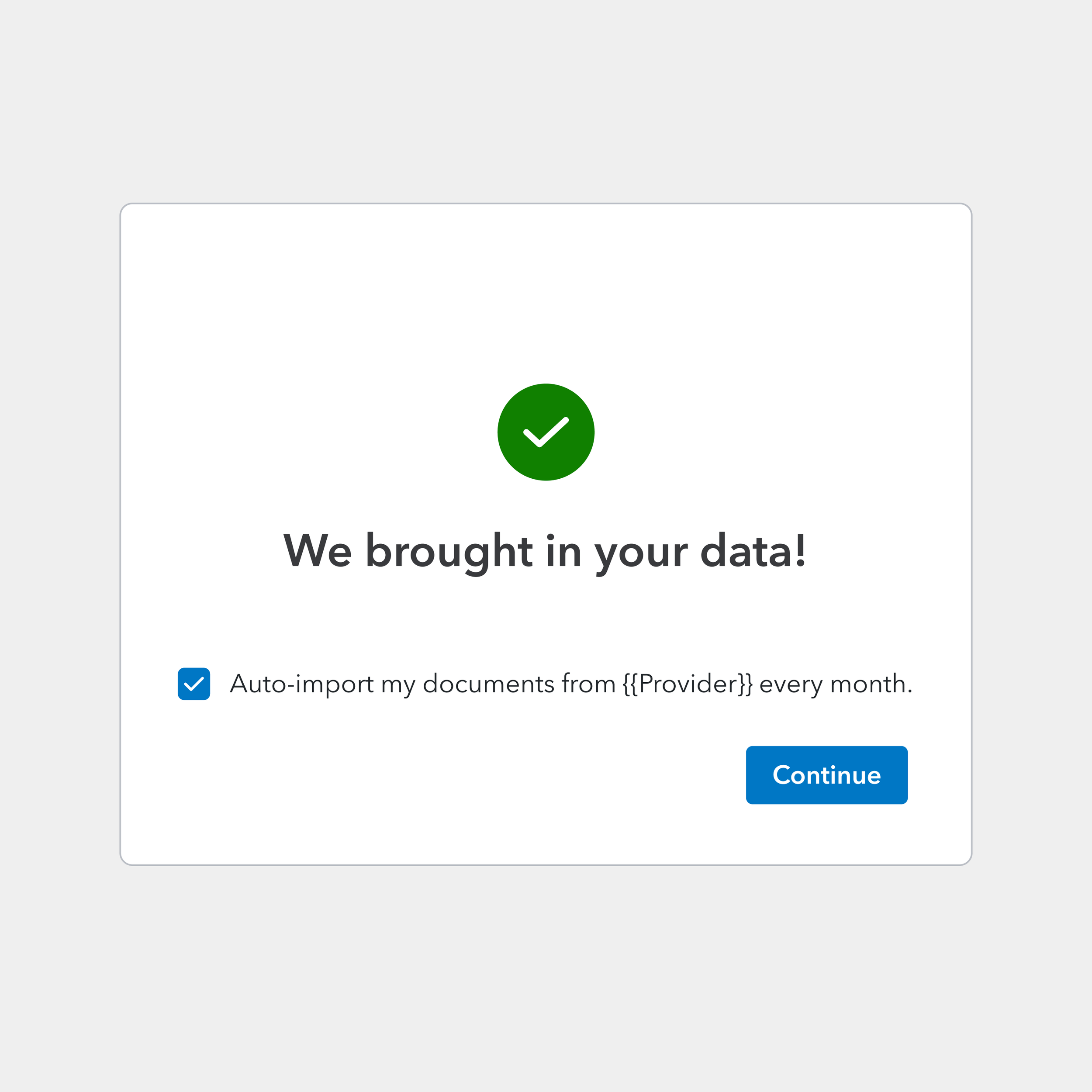
Pros: Acknowledges the result of the initial sign-in, clarifying customers brought in data, not documents.
Cons: Low readability on the actual prompt for next step; The status of the checkbox changes the next screen, adding engineering complexity in how the widgets are currently wired together.
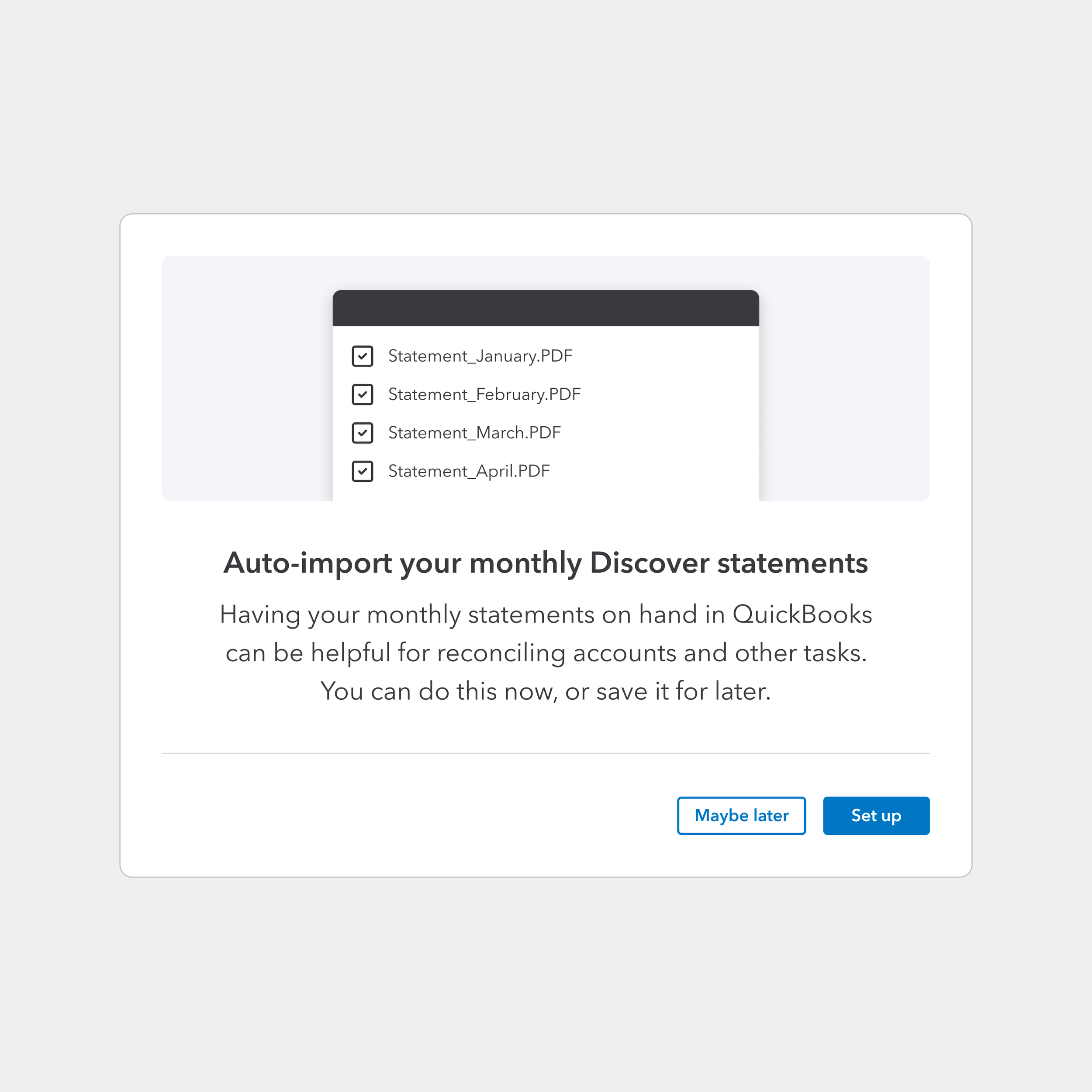
Pro: Advertising the feature with a strong headline. Added graphic to help customers understand and what documents will be brought in.
Cons: A low scalability graphic asset to co-own between teams - The graphic has to be customized for a variety of scenarios and products, across Banking, Tax, Loans, etc.
Even though this is a strong design option among stakeholders and users, we held out for one more try on the design direction.
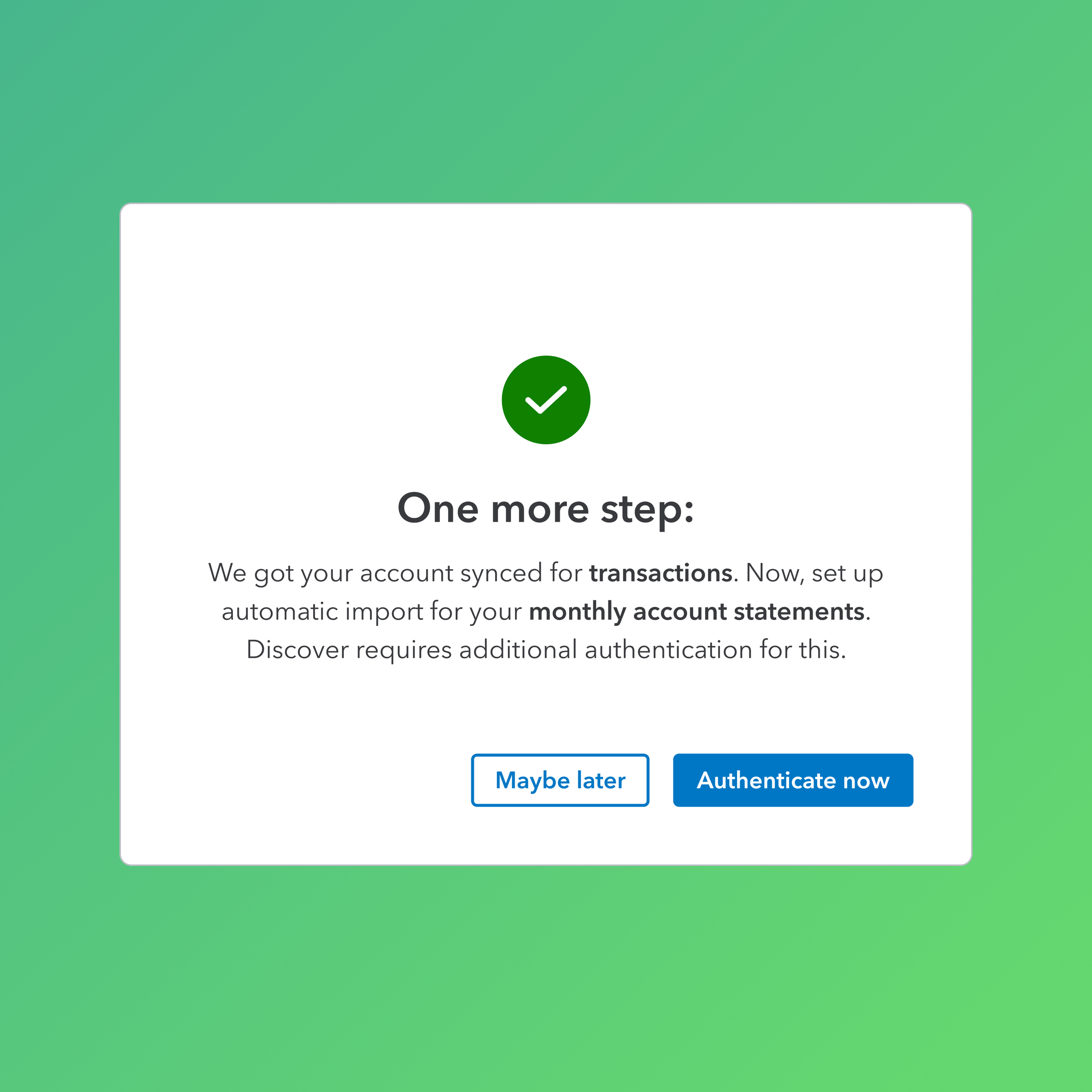
The green light:
After rounds of user testing with the collaboration of my Content partner, the team aligned on a much simplified version. The final content is conversational, and in A/B testings proved to be most successful for conversion.
This was also fatalistic news, as serving different sets of text content across Banking, Tax, Loans scenarios is a much lighter engineering lift.
Design Impact
The iterative design process proved key to decrease the friction in the “double-login“ experience, without challenging the existing tech constraints. We project a significant lift in auto-import adoption, driving higher conversion rates and reducing the manual document burden for millions of users, based on:
The final design successfully shifted the user's mental model from "Why am I logging in again?" to "I am granting access to my secure documents.
User testing showed users show almost 100% preferences toward new design
So, What Did I Learn?
1. Who are my "Customers"?
As a designer on a Platform team, I realized that my "customer" isn't just the small business owner using QuickBooks or the taxpayer on TurboTax. The Product teams themselves are my customers. If the platform solution doesn't solve their specific architectural or design language needs, it won't be adopted. I learned to treat internal stakeholders with the same level of empathy.
2. Leading Through Ambiguity
I initially felt nervous when I started the discussions with the product teams, I felt outside my comfort zone. However, I learned that proactive outreach is the best cure for uncertainty. Being able to take the initiative is always appreciated. In the end, I wasn’t just "gather requirements", I was building a bridge. To be able to lead is to be the connective tissue. Together, we build stress tested experiences from day one.